A practical, step-by-step guide to the Viking QuietVox QV9 shore excursion audio device, covering quick setup, earpiece and headphone options (including several hearing-aid-friendly choices), and troubleshooting.
How to Use Your Viking QuietVox: Setup, Earpiece Options and Troubleshooting
(NOTE: This article is written about the “Viking QuietVox” however there are other cruise lines that also use the same brand of device.)
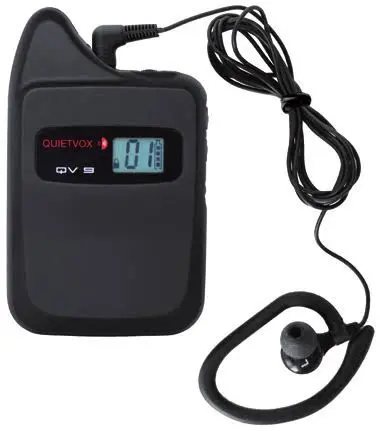
On selected shore excursions, Viking provides a small handheld device called the QuietVox, which lets you hear your tour guide clearly even in crowded streets, cathedrals, or markets. It is easy to overlook packing it as you leave for your excursion, and easy to fumble with on the morning of a tour, but a few minutes spent understanding it beforehand makes a real difference to how much you enjoy the excursion. Here is everything you need to know, from setup through to what to do if the audio cuts out partway through a tour.
Getting set up before you go ashore
Start by checking whether you actually need the device. Your tour ticket and the Viking Daily will tell you; if you see the letters “QV” listed against your excursion, bring the QuietVox AND its supplied earpiece with you.
To turn the device on, press and hold the power button for about three seconds. The screen will light up and show your current channel along with the battery level. Shortly after powering on, a small padlock icon appears in the bottom left corner, which means the device is locked and the channel cannot be changed until you unlock it.
Your channel needs to match the group or bus number shown on your ticket, or whatever number your tour guide gives you on the day. To unlock the device, press and hold the up and down buttons together for about three seconds; the padlock icon disappears. From there, press the up or down button until the display matches your assigned number. The device will relock itself automatically after five seconds, and the padlock will reappear.
Next, plug your earpiece into the 3.5mm jack on top of the device. It is set for the left ear by default, so place it and check that it sits securely. If you forget your earpiece, let your tour guide know; they usually carry one or two spares. The volume wheel is also on top of the device; slide it left or right until you find a comfortable level, and you are ready to go.
During the tour, if you do not need the device for a stretch, you can switch it off by pressing and holding the power button for three seconds, then turn it back on the same way when needed. It will remember the channel you were using.
Choosing the right earpiece or headphone
The standard setup works well for most passengers, but Viking offers a few alternatives worth knowing about, particularly if you wear a hearing aid. Whatever option is not provided directly by Viking, do check compatibility with the QuietVox and your own devices before your cruise.
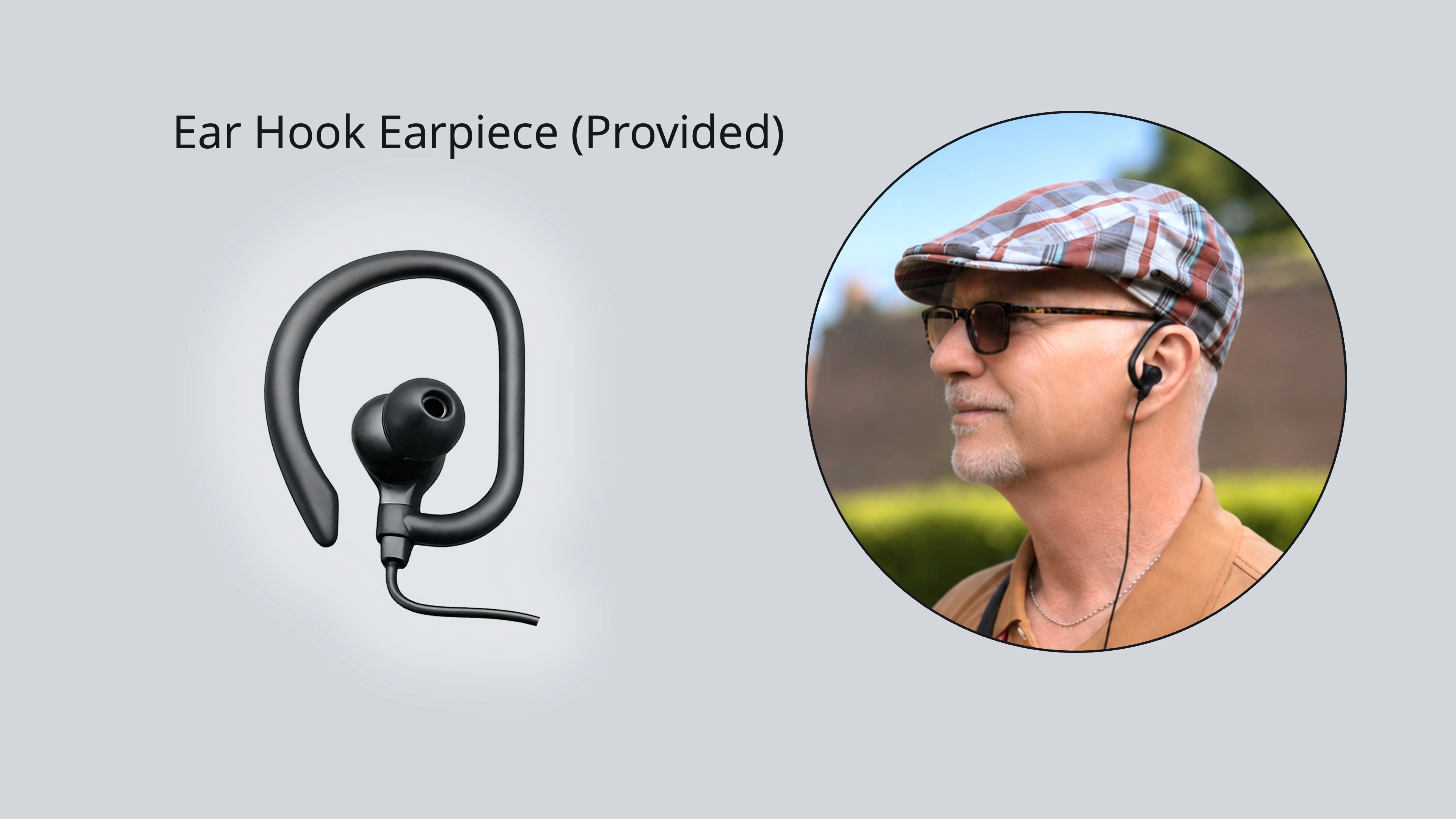
The Viking ear hook earpiece is the one provided as standard, with no extra purchase or setup required. It has a wired ear hook that wraps around the ear for a secure fit and a silicone earbud that sits inside the ear canal. It defaults to the left ear, but you can rotate the silicone portion to wear it on the right instead. For most passengers, this remains the simplest choice.
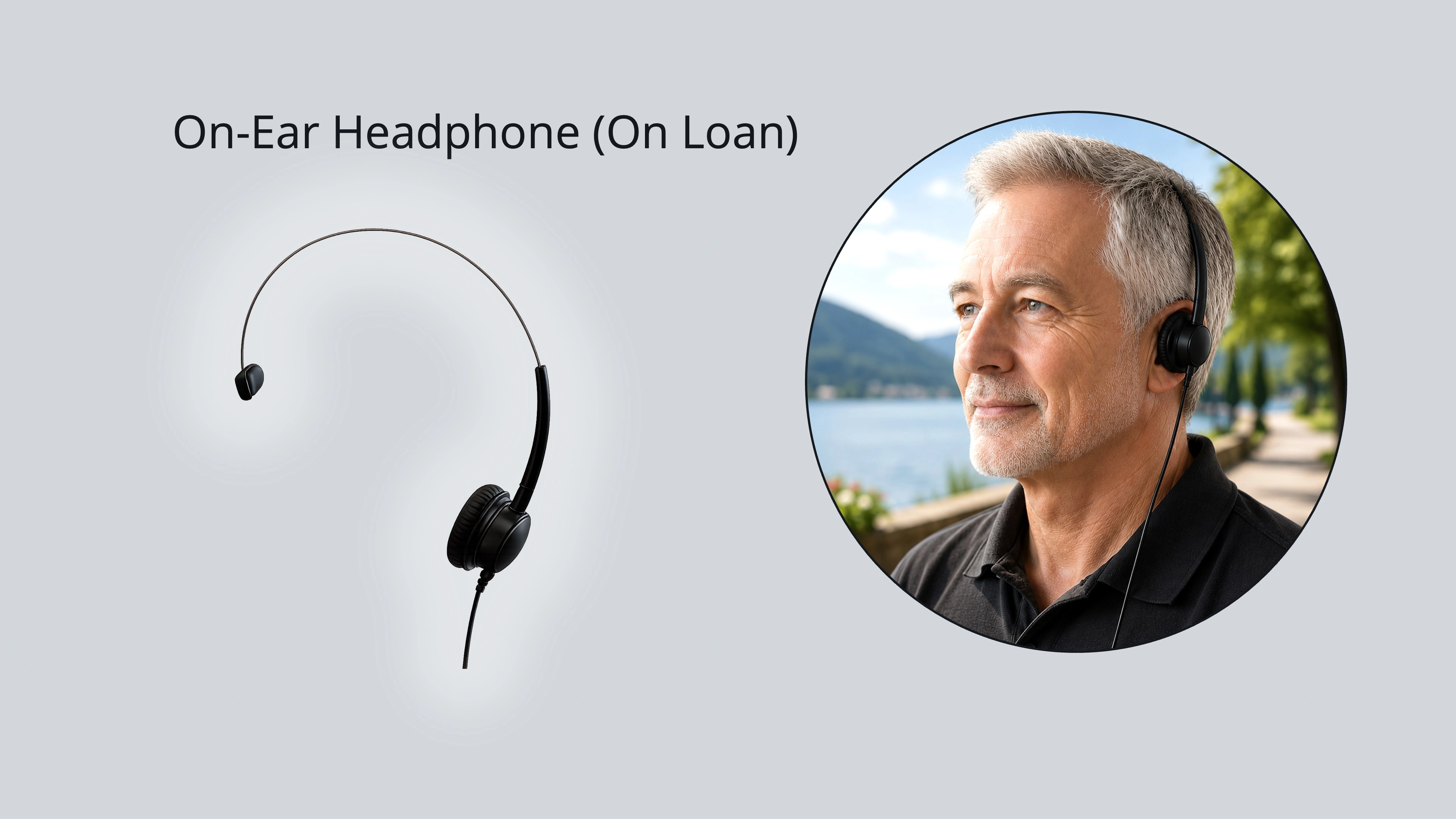
The Viking on-ear headphone is available on loan if you request it in advance. It is wired, sits on the ear with a lightweight overhead band, and needs no setup. Its open design may suit hearing aid users, though I would recommend checking beforehand that it sits comfortably and does not interfere with your hearing aid’s performance.
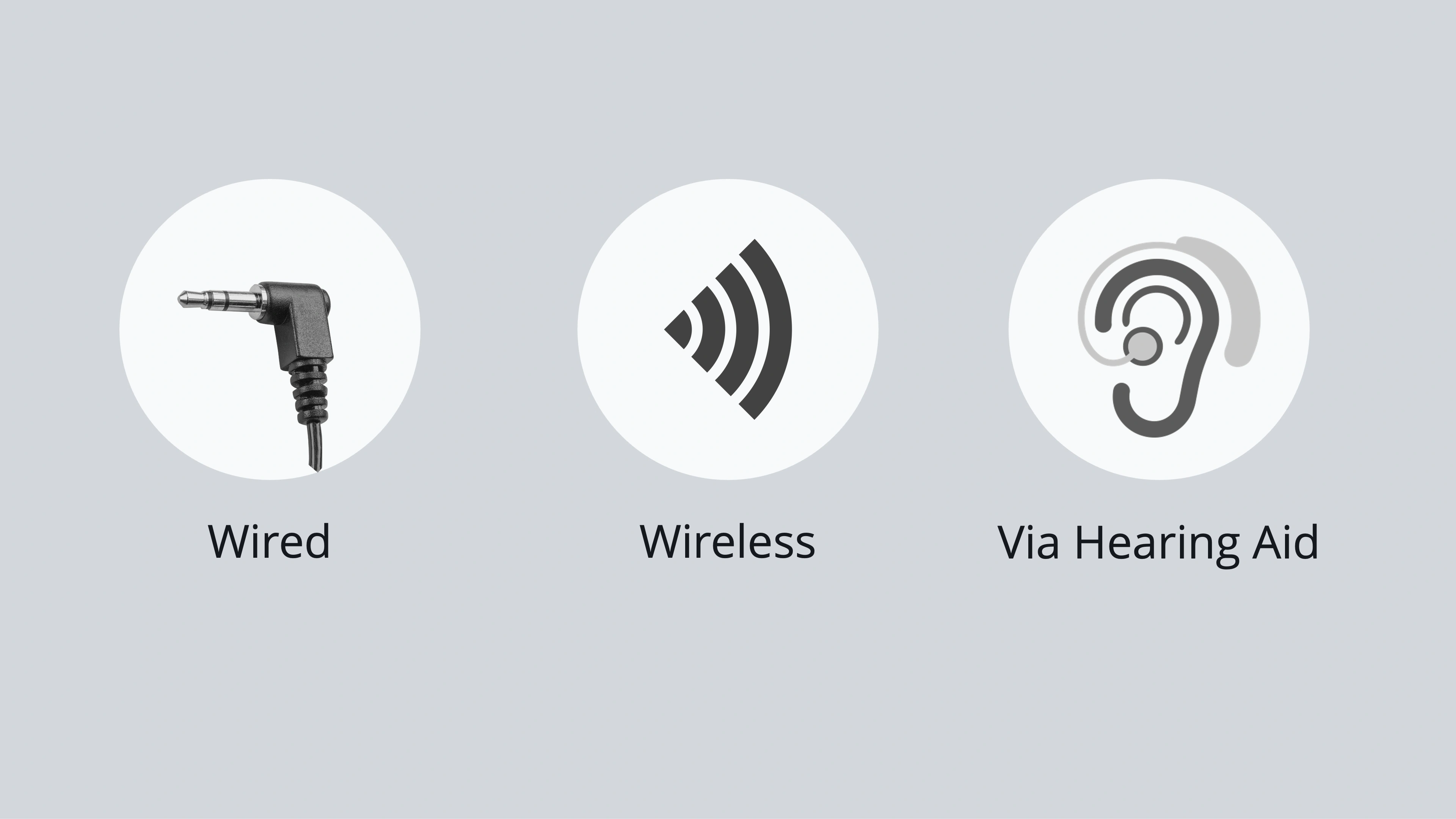
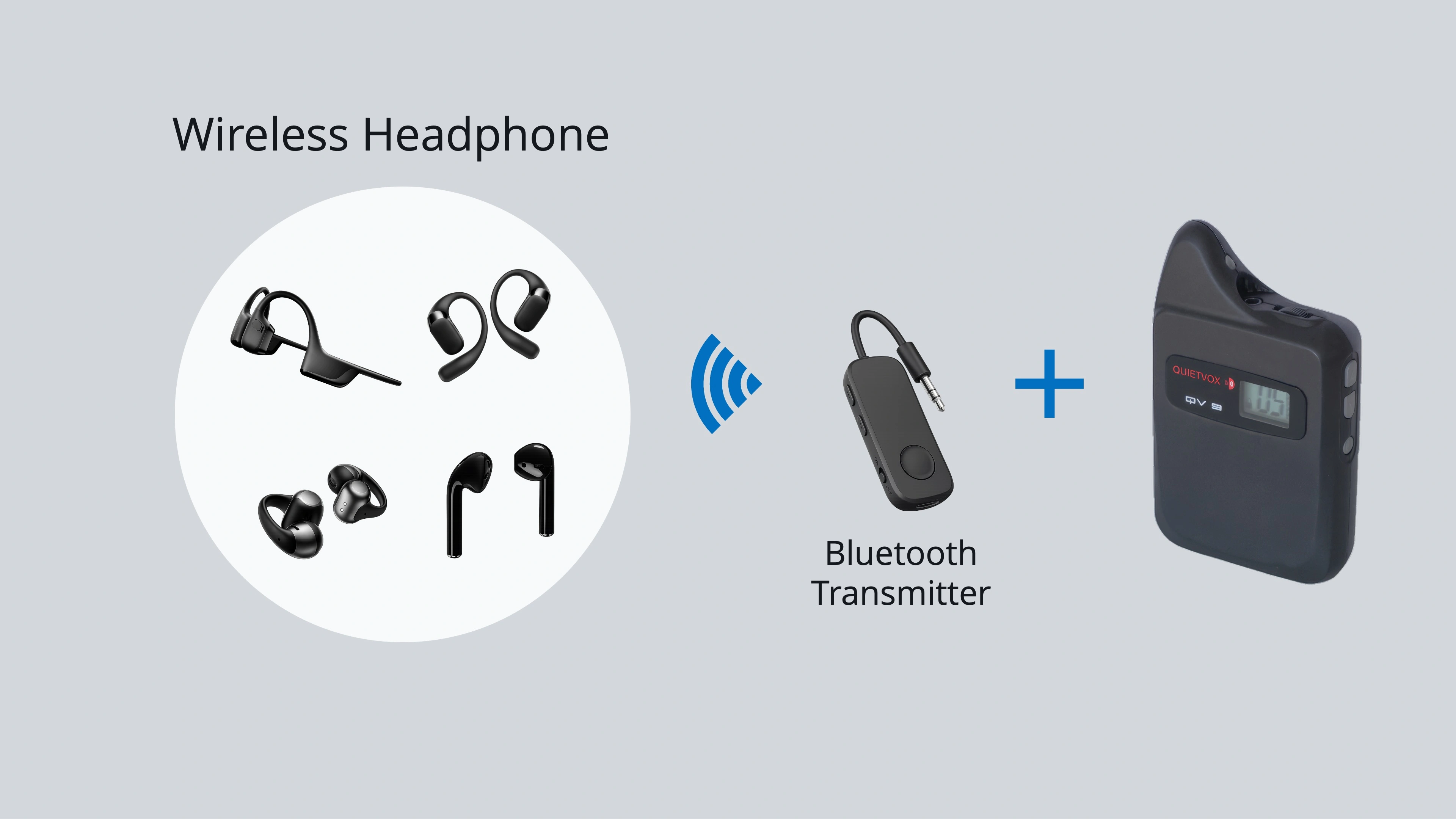
For a wireless option, you will need a separately purchased Bluetooth transmitter that plugs into the 3.5mm socket on top of the QuietVox. Neither the transmitter nor a wireless headphone is supplied by Viking, so this needs to be sorted before your cruise. Within this category there are a few styles worth understanding. Bone conduction headphones sit on the cheekbones and transmit sound through vibration, leaving the ear canal completely open; this tends to be the most hearing-aid-friendly style. Air conduction headphones use a small directional speaker that hovers just outside the ear canal without entering it, which may also suit hearing aid users. Clip-on styles attach to the outer ear and likewise leave the canal open. In-ear styles sit inside the canal itself and will feel familiar to most people.
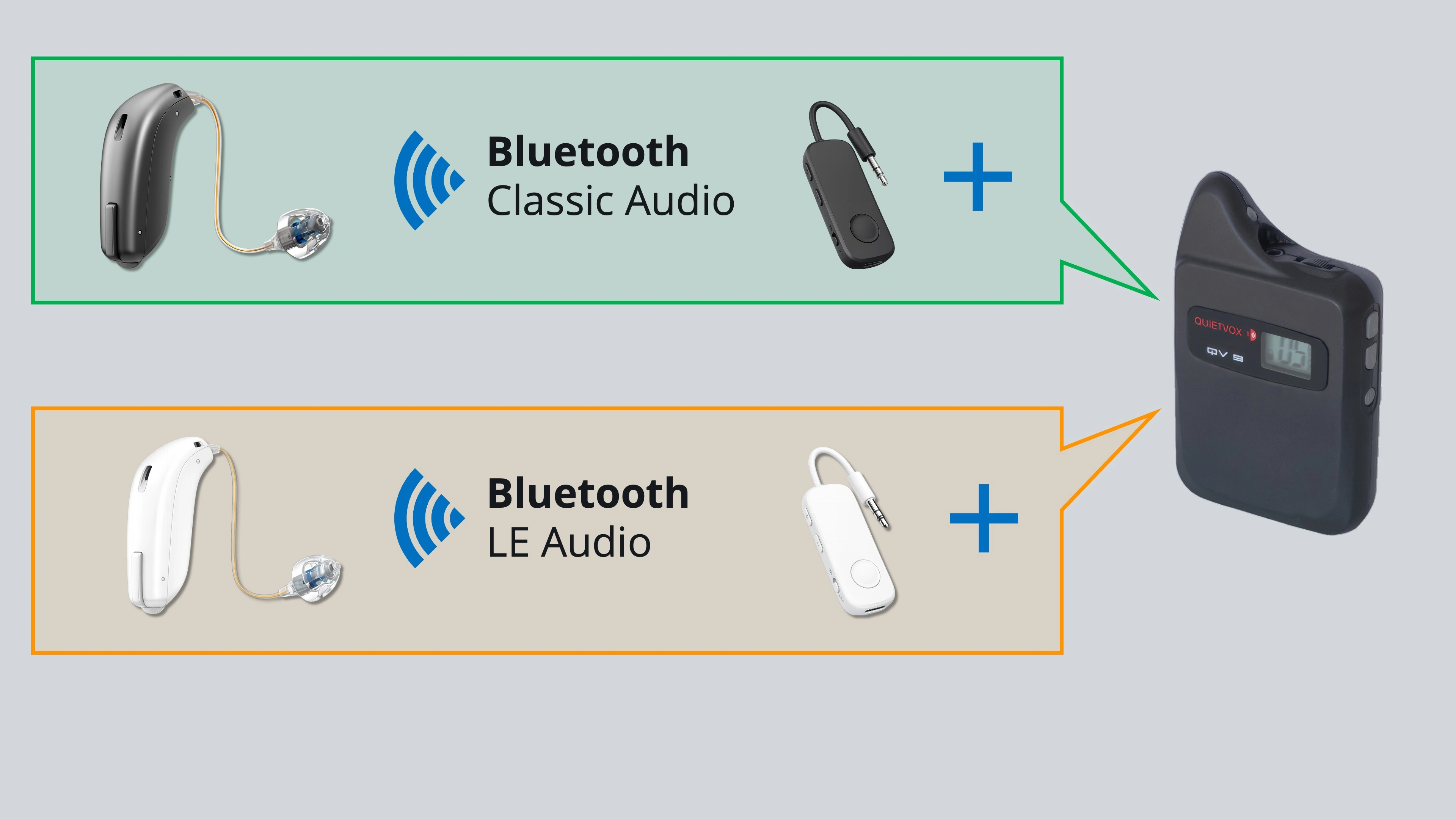
If your hearing aid supports Bluetooth audio streaming directly, a Bluetooth audio transmitter plugged into the QuietVox’s headphone jack can pair straight to your hearing aid, with no earpiece needed at all. The detail that matters here is which Bluetooth standard your hearing aid uses. Bluetooth Classic Audio and Bluetooth LE Audio require different transmitters, and the two are not interchangeable, so check your hearing aid’s specifications before you buy anything.
Whichever option you settle on, I would suggest keeping the Viking-provided earpiece as a backup regardless, in case your preferred setup runs into trouble mid-excursion. And if you are pairing any Bluetooth transmitter, allow yourself a practice run before your cruise; pairing can take a few attempts, and your device’s manual will walk you through the steps.
If your audio cuts out mid-tour
A handful of quick checks usually solve the problem. First, confirm the device is powered on and the screen is lit. Second, check that the earpiece is firmly seated in the jack; a half-plugged connection is the single most common cause of muffled or missing audio. Third, check the volume wheel is not sitting at minimum. Fourth, confirm the channel number on screen matches your current group or bus number rather than a previous one, which can happen if you have already been on another excursion that day. Fifth, consider your distance from the guide and anything between you; walls, crowds, and large buildings can weaken the signal, so closing the gap often helps. Finally, if all of the above checks out and the problem persists, the earpiece itself may be defective; ask your guide for a replacement on the spot.
It is worth knowing that tour guides can only help with the standard Viking-provided device and accessories, so keep that in mind if you have gone the third-party route.
After your excursion
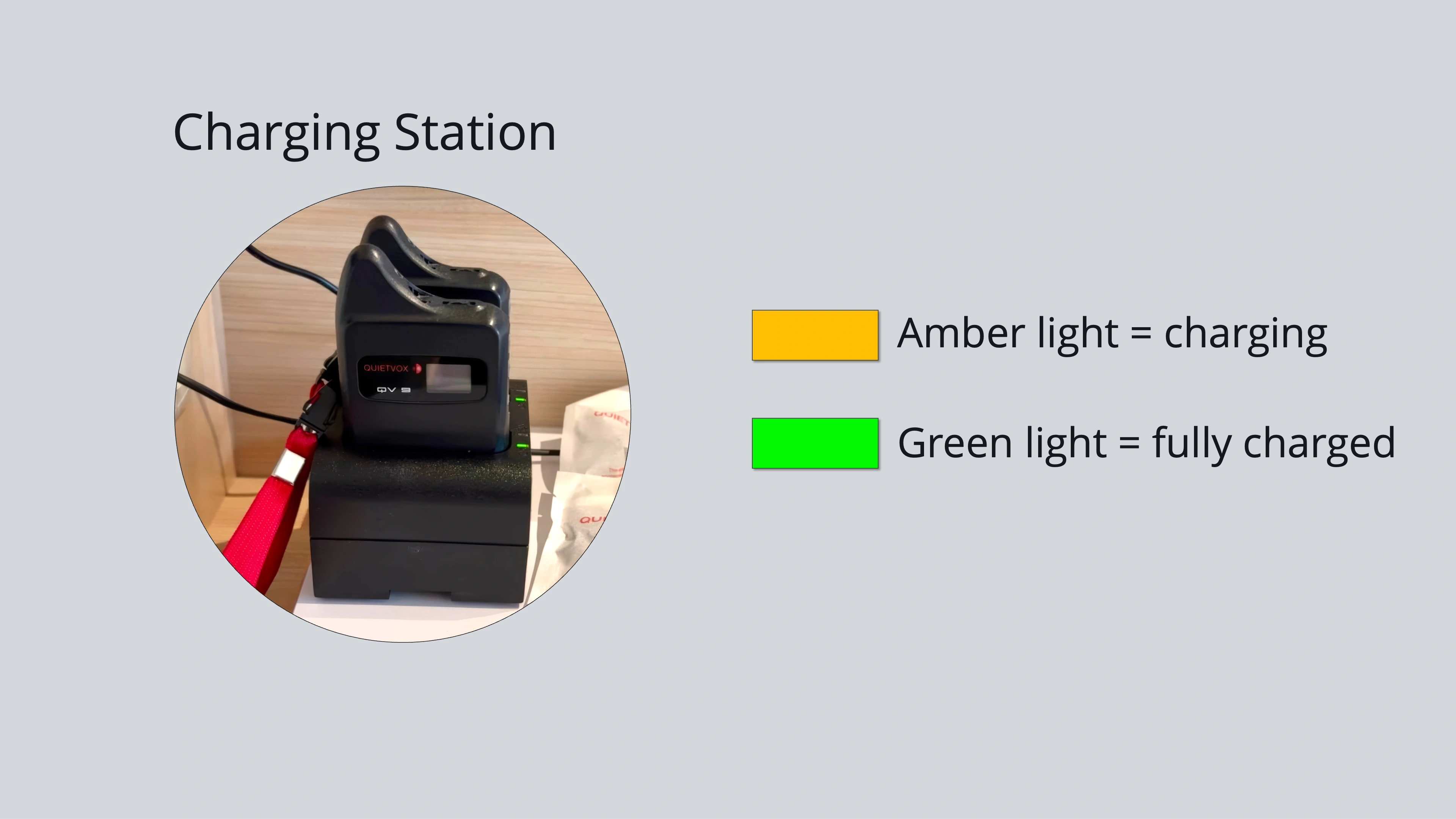
Once you are back on board, turn the device off and return it to the desktop charger in your stateroom so it is ready for your next port. Whichever setup you choose, the best one is simply the one that is comfortable and easy for you to use without a second thought.
If you are still deciding between Viking and another line for an upcoming voyage, or want a second pair of eyes on your excursion bookings before you sail, I am always happy to help you sort through the details so nothing gets left to guesswork on the day.
Ken Graham, Luxury River/Ocean/Expedition Cruise Specialist